Skip navigation
  1. Home
  2. Features
  3. Written answers by AI
Standard form filling

AI answers for open-ended Google Form questions: let AutoFillForm write them or draft them first

Short-answer and paragraph questions can be handled by AI two ways: choose "Let AutoFillForm write it" and answers are written when you order, or use "Generate data" to draft a list first and review each answer.

AI written answers illustration

Quick facts updated

Applies to
Short answer and paragraph questions in Google Forms
"Let AutoFillForm write it"
0,5 Credit/answer, written when you order
"Generate data"
0,5 Credit/answer, up to 25 per run, 500 in total
Answers written
Equal to responses (≤10 responses) or about 1/3 of the responses (10–60 answers)
Respects
The form's "Response validation" rules
See it in the product

Each open question picks one data source

In the open question's Data source section, choose to have answers written when you order, use built-in data or enter your own list. The 1-minute 26-second video below is recorded on the real app.

0,5 Credit / answer
25 Answers per run
500 Maximum answers
Choose open questions Choose the data source See the cost Order
Let AutoFillForm write, system data or your own list
What it does

Two ways to use AI for open questions

"Let AutoFillForm write it" is the quickest option: you enter nothing, and when you order a varied set of answers is written for that question with the cost shown at the Amount step. "Generate data" suits you if you want to read and edit each answer first: the AI drafts in batches and the results go into the custom list for you to add, edit or delete. Name, phone, email and address questions have built-in system data; choice questions still follow your ratios.

"Let AutoFillForm write it": answers are written when you order; it is selected by default for open questions that are not name, phone, email or address.
The number of answers written equals the responses for orders of 10 or fewer, otherwise about 1/3 of the responses (10 to 60 answers); later orders of the same size reuse the written set at no extra cost.
The "AutoFillForm writes open answers" line appears separately at step 3 Amount, so you know the cost before paying.
"Generate data": the AI drafts up to 25 answers at a time, 500 in total, for you to review and edit.
The AI follows the question's language and topic and the form's "Response validation" rules (number range, email, length…).
AI answers can be mixed with your own answer list.
How it works

How to use AI open answers in 3 steps

It is done in each form's Settings; the open-answer cost appears separately at the Amount step.

  1. 1

    Open the form settings

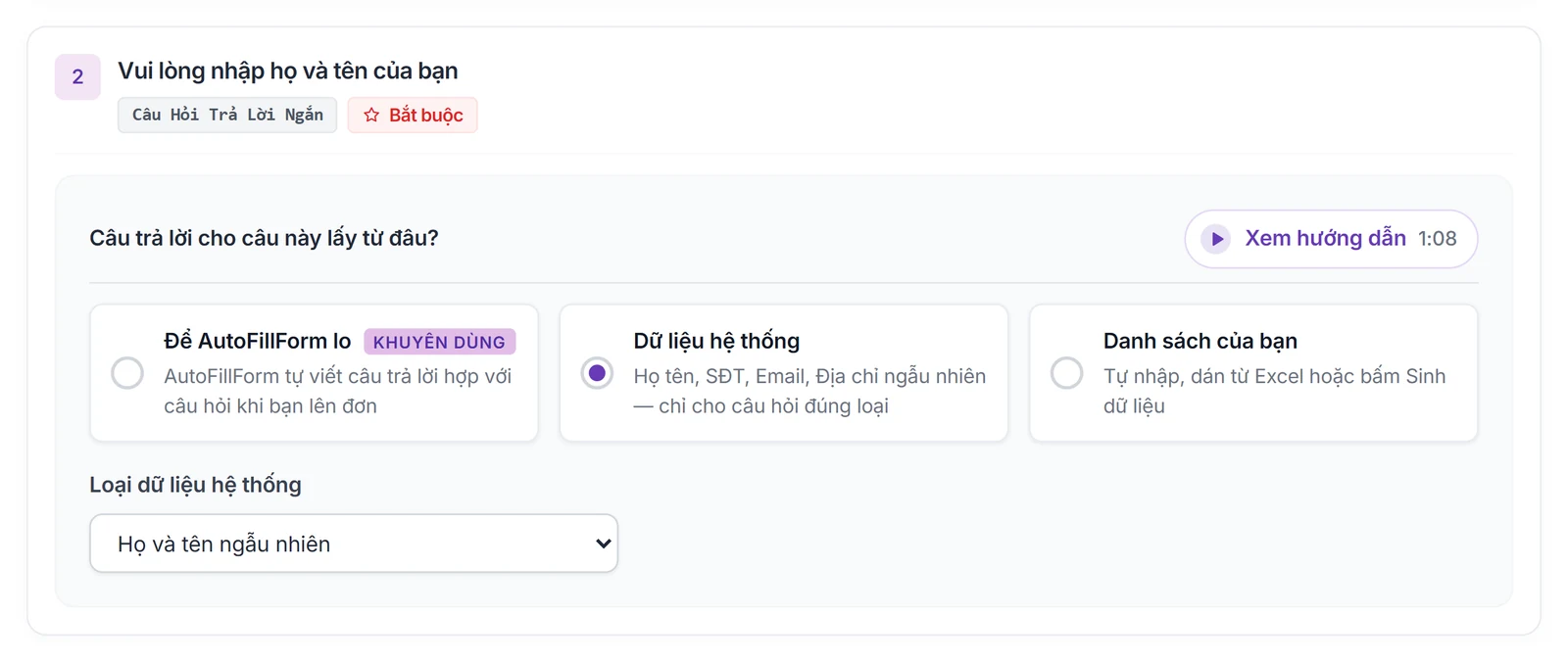
    Go to My forms → Settings, find the short-answer or paragraph question and open its Data source section.

    The "Where do the answers come from" part of an open question
    The "Where do the answers come from" part of an open question
  2. 2

    Choose the data source

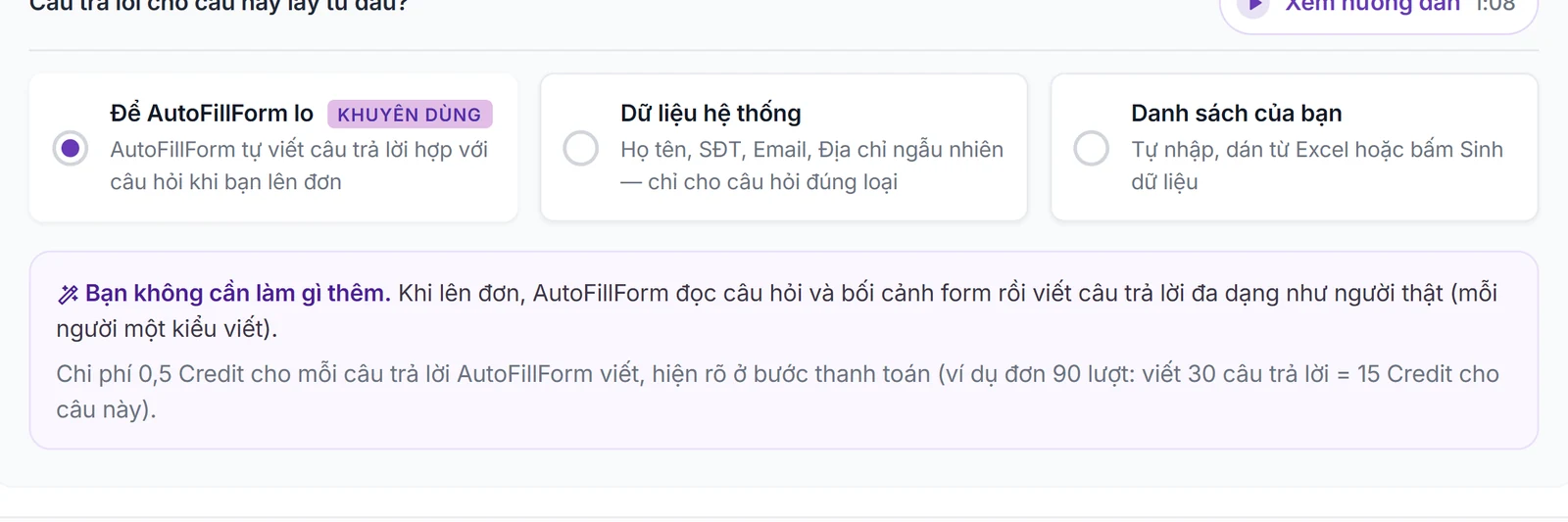
    Keep "Let AutoFillForm write it" so answers are written for you, or press Generate data for the AI to draft a list to review.

    Choose Let AutoFillForm write it: answers are written when you order
    Choose Let AutoFillForm write it: answers are written when you order
  3. 3

    Order

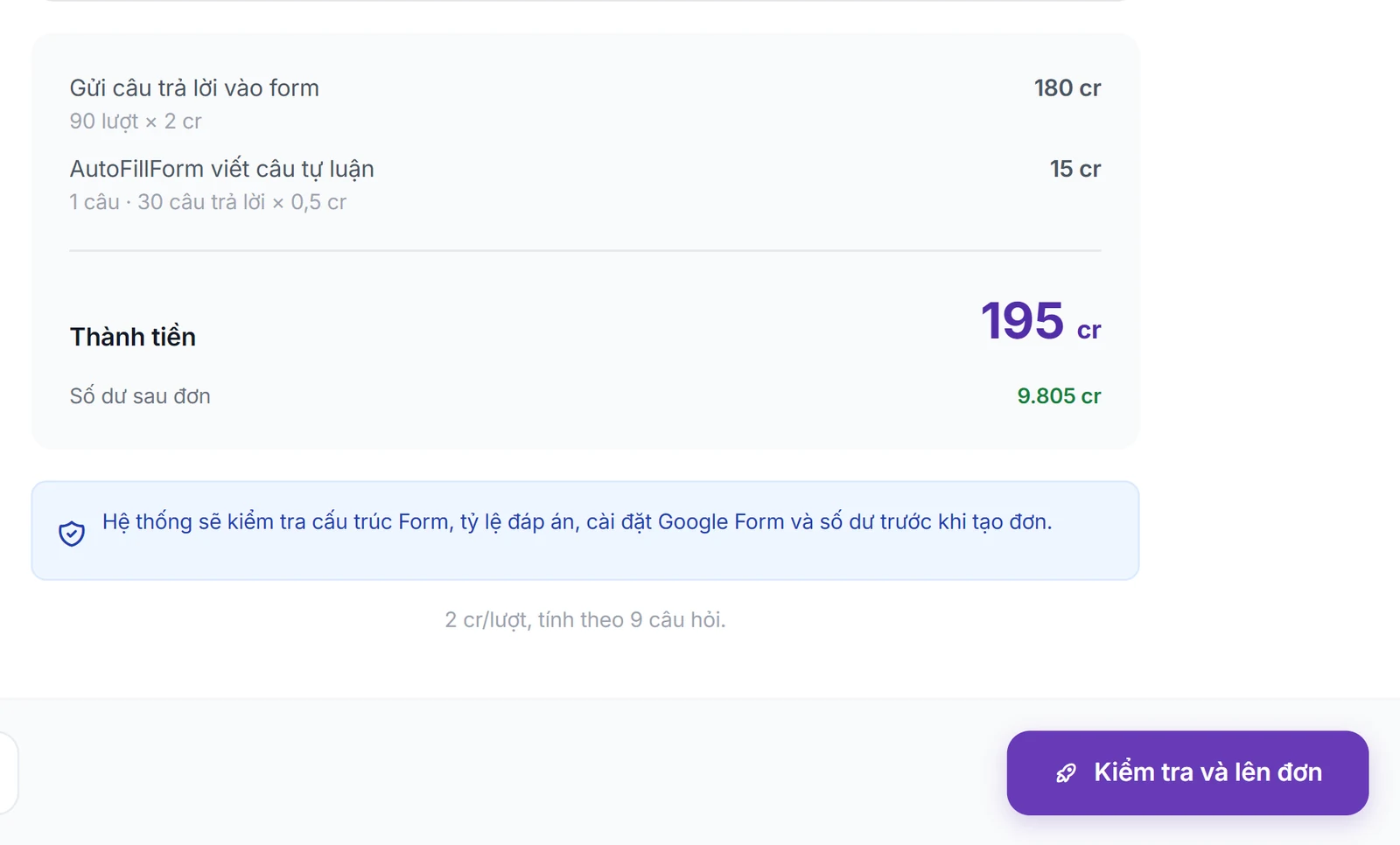
    At step 3 Amount, see the open-answer cost line, then pay and run.

    The Amount step shows the cost line for AutoFillForm-written answers
    The Amount step shows the cost line for AutoFillForm-written answers

What you need

  • The form has been imported into My forms and the question is short answer or paragraph.
  • The account has enough Credit for the open answers; if not, scan the QR code at the Amount step.
  • Re-read answers drafted with Generate data before using them.
Limits to know

  • The AI may write answers that miss the context; questions needing exact information (codes, proper names) should use your own list.
  • Do not put personal or sensitive data in the description for the AI.
  • For the AI to handle both choice and open questions without any setup, use Fully automatic with AI.
Quick answers

Frequently asked questions

0,5 Credit per answer written. Orders of 10 responses or fewer get one answer per response; larger orders get about 1/3 of the responses (10–60 answers) used in rotation. Later orders of the same size reuse the set at no extra cost.
"Let AutoFillForm write it" writes automatically when you order; nothing to do. "Generate data" drafts a list for you to read, edit and delete answers before ordering.
Not in Fill by ratios: choice questions follow your ratios and rules. For the AI to handle the whole form, use Fully automatic with AI.
Yes with Generate data: the results go into the custom list for you to add, edit or remove before ordering.
The old name of "Let AutoFillForm write it". It works and costs the same.
100 Credit for new accounts

Start with your form

Import, set up and see the cost before running.

Create a free account