Skip navigation
  1. Home
  2. Features
  3. Answer rules
Standard form filling

Google Form logic in automatic filling: answer rules and branching

Keep groups of answers consistent with required conditions, while following the section branches the form owner set up.
Answer rules illustration

Quick facts updated

Conditions
Needs at least 2 single-choice questions
AI suggestions
Free; you review before saving
Branching
Follows the sections and go-to rules set in Google Forms
Check
Conflicting rules flagged before you pay
See it in the product

Each rule is tied to real questions and choices

Key information is shown as status, ratios and check results instead of a long block of instructions.
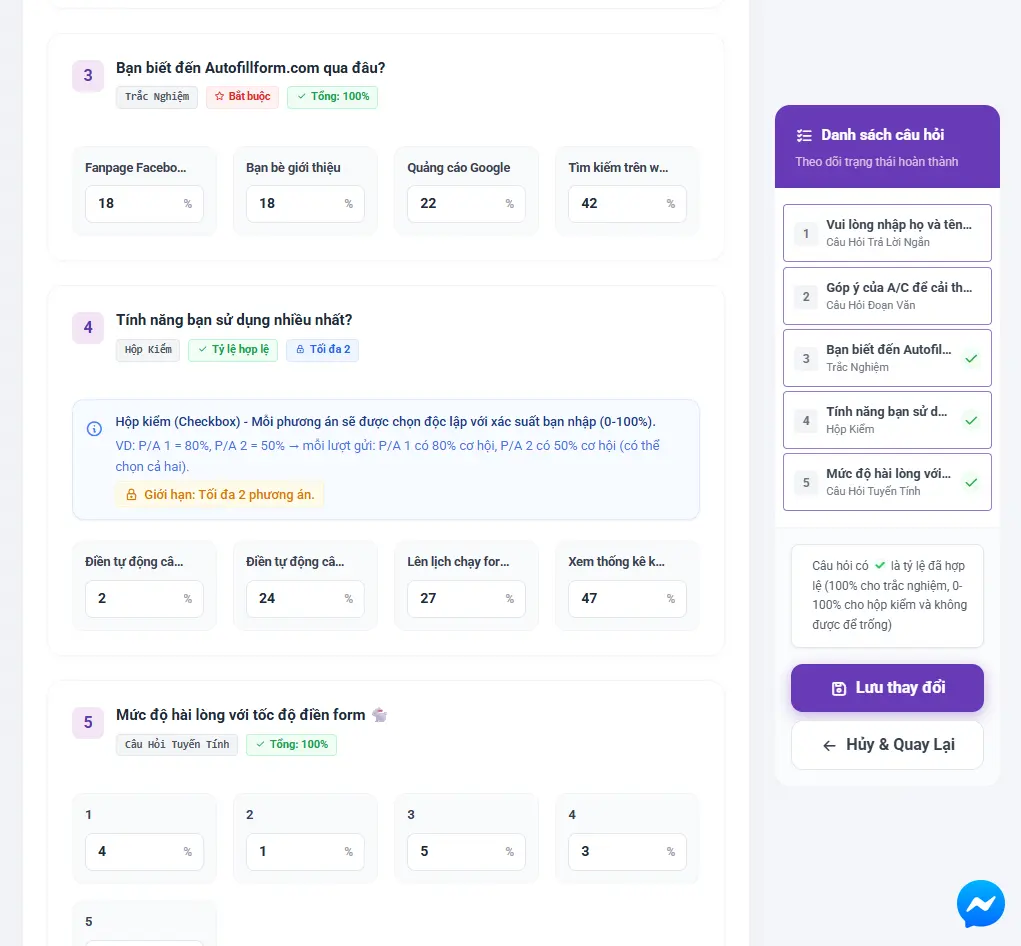
2 Sample condition
0 Conflicts
Approved Status
Import form Configure Check Create order
The real question and ratio setup in AutoFillForm
Ratios and rules are checked before saving
What it does

Where does the logic live?

You create rules between questions in AutoFillForm. Section navigation is read from the Google Form itself and followed for every response.

Create conditions between a source and a target question using the form's real choices.
Get logic-rule suggestions from AI, then review them before saving.
Detects duplicate, conflicting or looping rules.
Follows section branches, including intermediate sections without questions.
How it works

How to use Answer rules in 3 steps

Every step has a clear status and check.

  1. 1

    Choose the source question

    Pick the choice or condition that starts the rule.
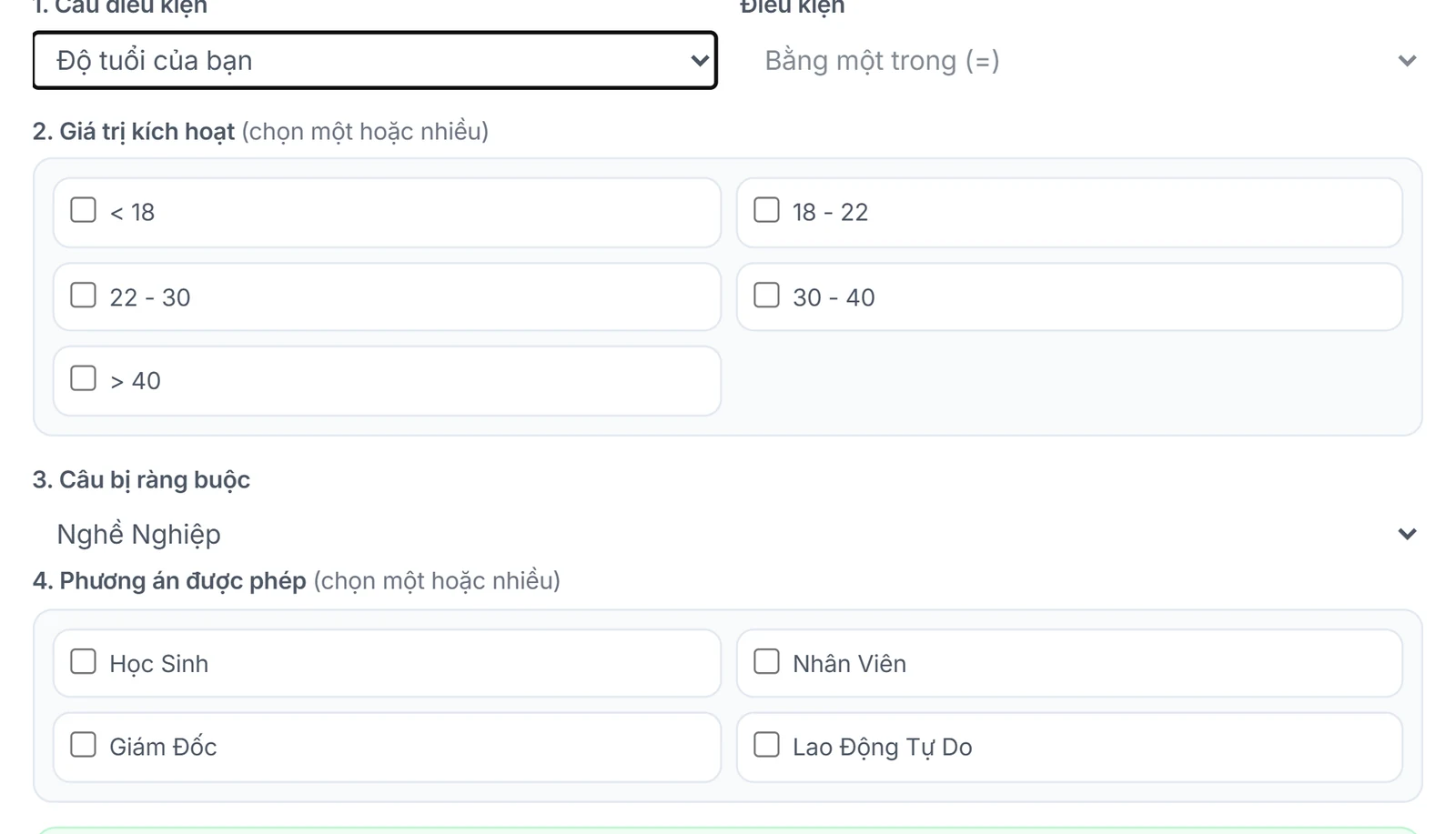
    The Add rule box: pick the condition question, trigger answer and restricted question
    The Add rule box: pick the condition question, trigger answer and restricted question
  2. 2

    Set the required result

    Choose the target question and the answers allowed when the source condition is true.
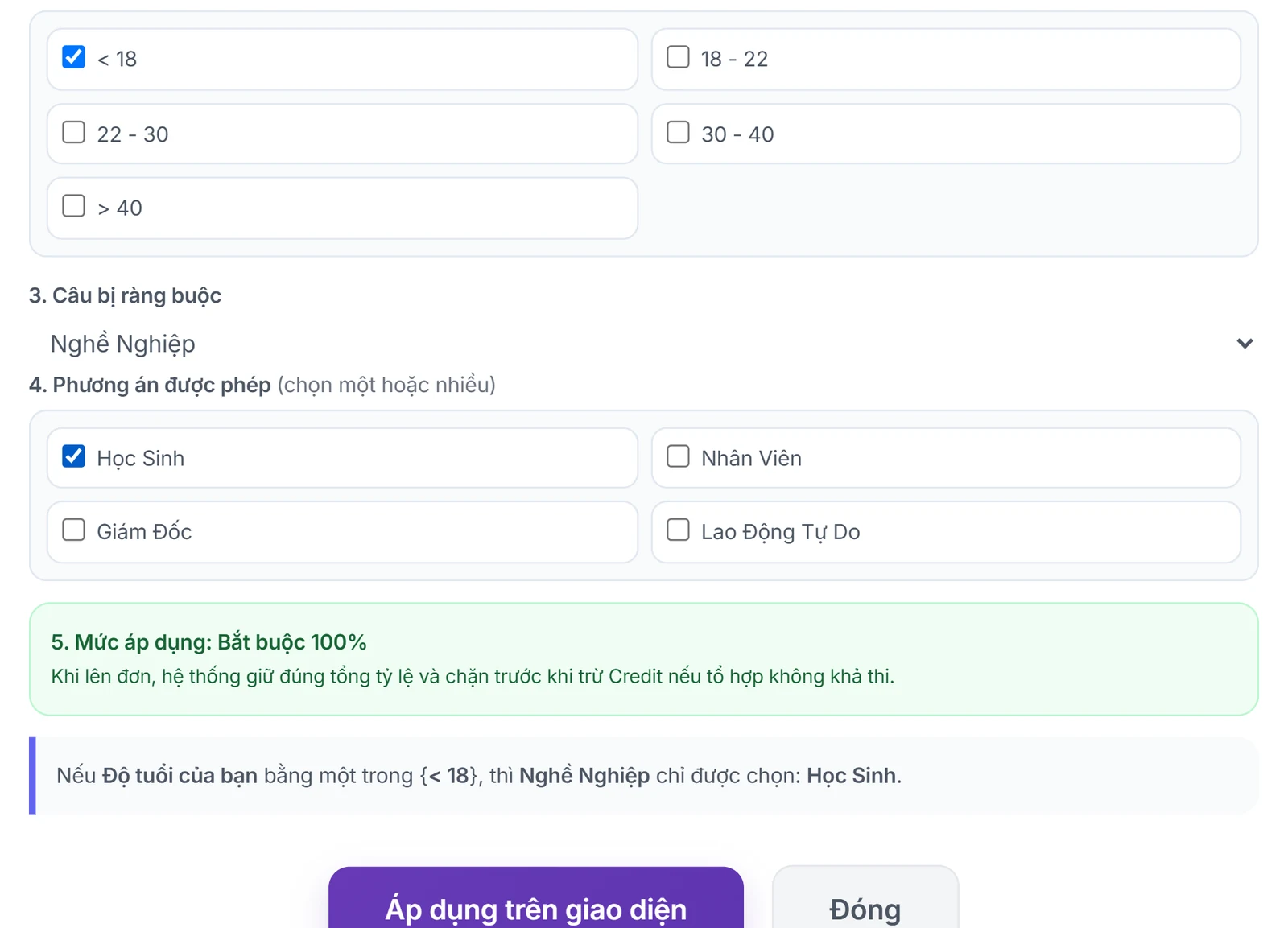
    A filled-in rule: under 18 years old means the occupation is Student, with a preview line
    A filled-in rule: under 18 years old means the occupation is Student, with a preview line
  3. 3

    Check the flow

    Conflicts are checked; when running, only questions on a valid branch are sent.

    The added rule appears in the form's Question rules list
    The added rule appears in the form's Question rules list

What you need

  • Questions and choices must still exist in the current Google Form.
  • AI suggestions are only proposals; check their meaning before applying.

Limits to know

  • Section settings in Google Forms are not changed; the system only reads and follows them.
  • Rules that are too strict can make a target ratio impossible.
Quick answers

Frequently asked questions

No. Sections and navigation are created in Google Forms; the system reads that structure to follow the right path.
No. The AI proposes candidates with reasons; you review them and decide which to save.
100 Credit for new accounts

Start with your form

Import, set up and see the cost before running.

Create a free account