Design Google Forms with AI
Describe your survey and the AI designs a complete form: sections, questions, choices, branching and Likert scales for research. Edit it just like in Google Forms, then publish it straight to your form without retyping a single question.
Forms you designed
How to design a Google Form with AI
-
1
Describe the survey
What it's about, who answers, what it's for (general survey, research/thesis, customers, event registration, quiz).
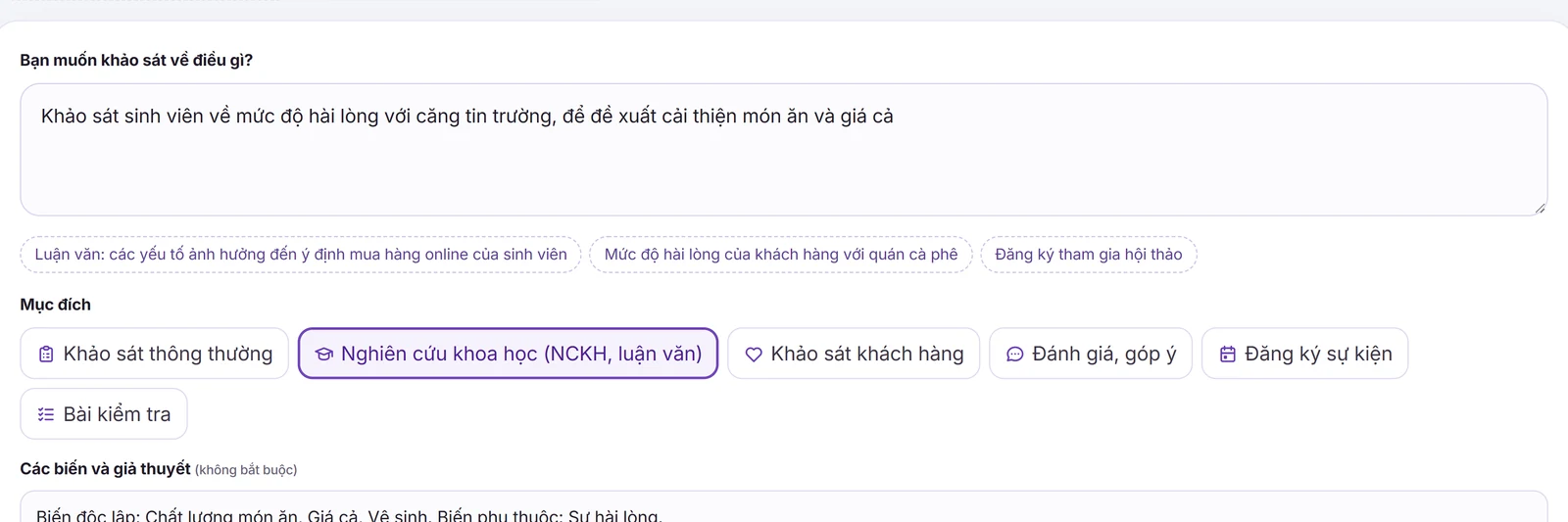
Describe the survey, choose a purpose such as Academic research, and let the AI design the form -
2
Edit the draft
The AI creates every section and question. Edit the text, change question types, add or remove choices, set branching like "choosing No submits the form", see every path on the branching map and preview as a respondent.
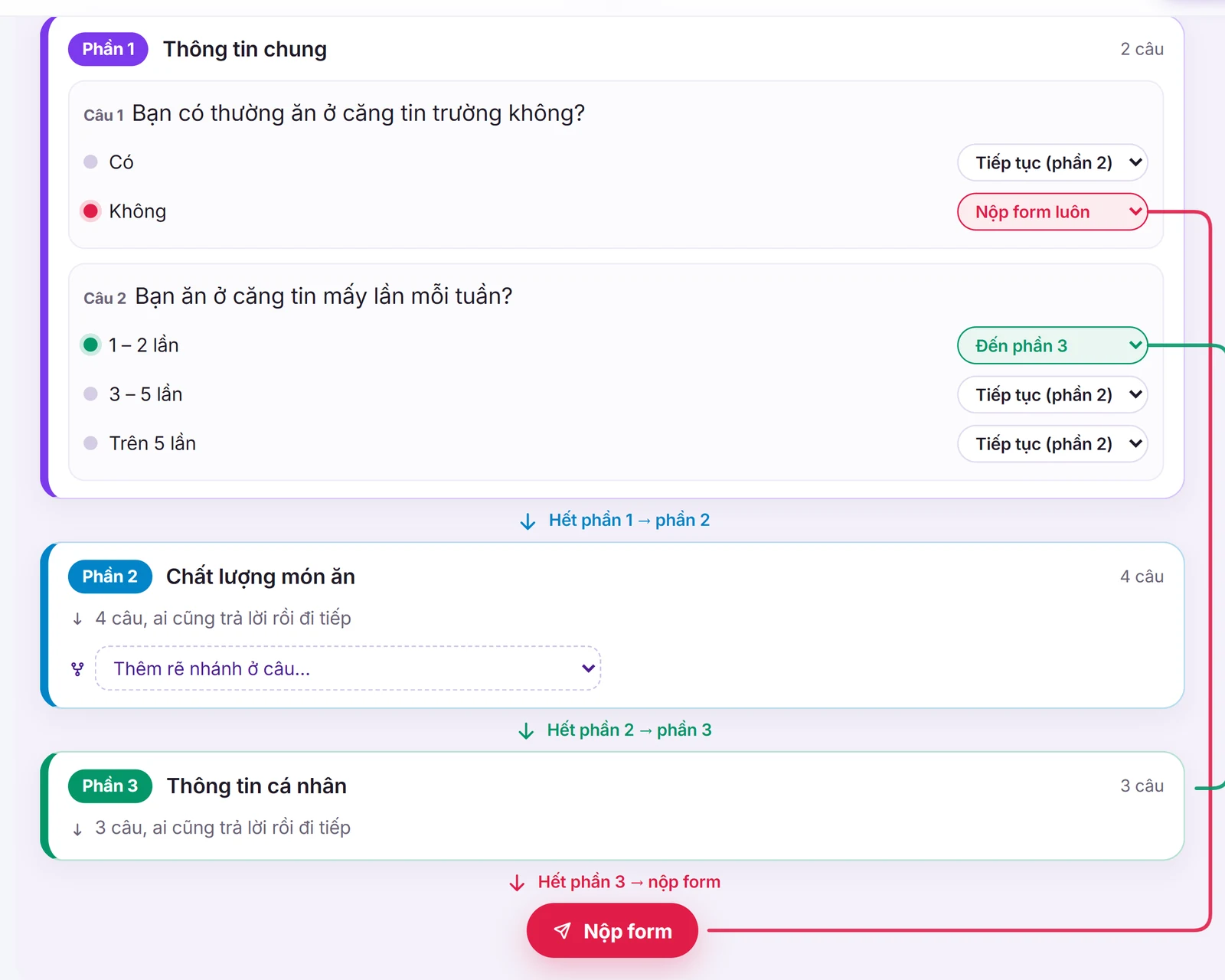
Branching map: choosing No submits the form, choosing 1 – 2 times goes straight to section 3 -
3
Publish to Google Forms
Create a blank form at forms.new, share edit access via the link and paste it: the whole form is created in seconds.
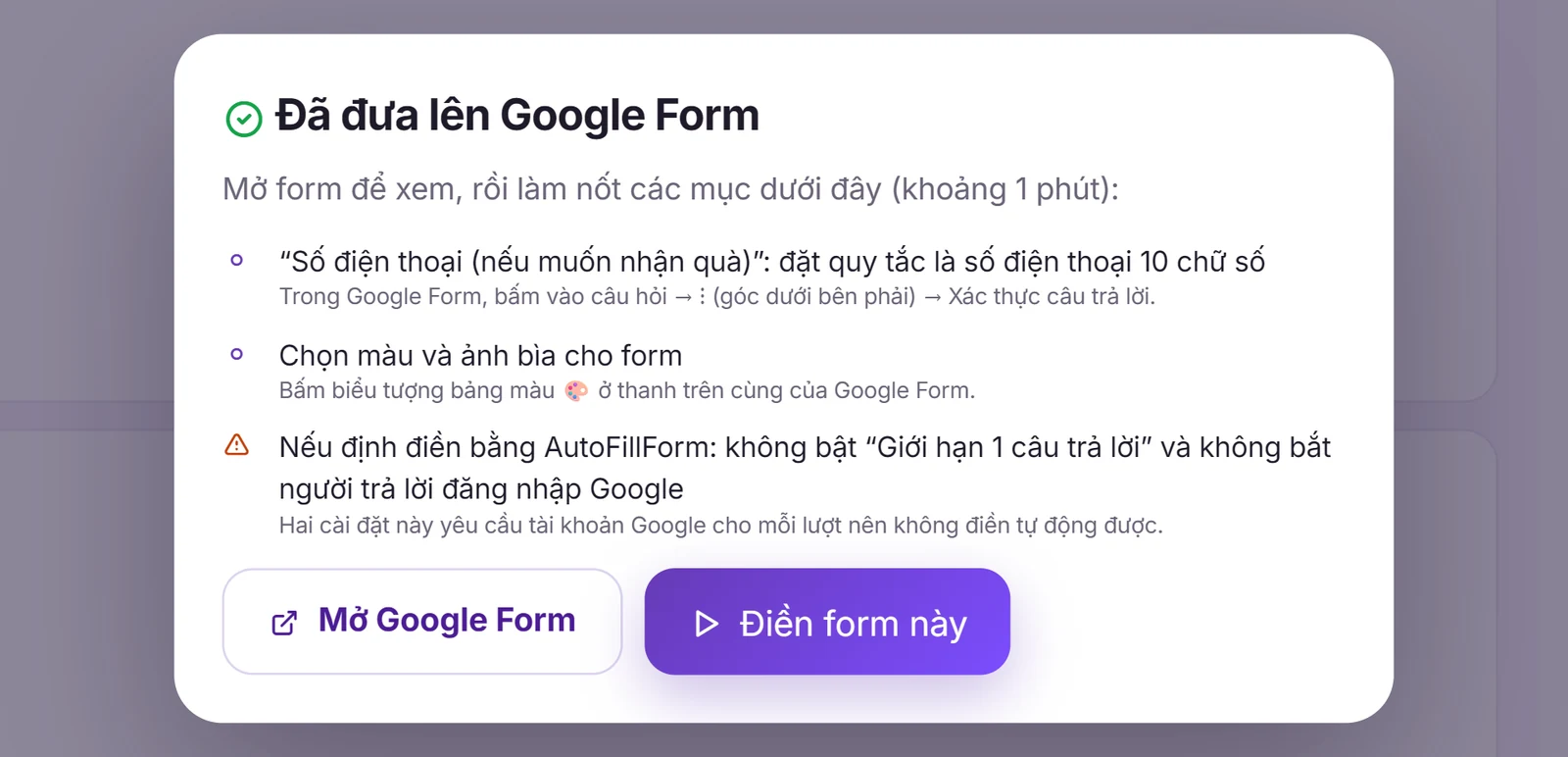
Published to Google Forms: questions, sections and branching are in your form
Create a Google Form with ChatGPT, Gemini or AutoFillForm?
| ChatGPT, Gemini (khung chat) | AutoFillForm | |
|---|---|---|
| Result | A block of question text | A form with the real Google Form structure: sections, question types, choices, branching |
| Getting it into Google Forms | Retype every question and choice yourself | Automatic, just paste the edit link |
| Research survey forms | You must ask for every detail yourself | Variable codes, 5-point Likert scales and attention checks built in |
| Once you have the form | — | Fill it by answer ratios, export SPSS data |
Research and thesis survey forms
Choose "Academic research" and list your variables and hypotheses. The AI creates:
- 3–6 observed items per factor on a 5-point Likert scale from "Strongly disagree" to "Strongly agree".
- A variable code for each question (CL1, CL2, GC1…) so SPSS data entry matches right away.
- An attention check to filter careless responses, and demographics at the end.
See also: Likert scales in Google Forms · How to calculate sample size · How to build a Google Form survey
Frequently asked questions
Is creating Google Forms with AI here free?
Yes. You get 1 free AI designs a day with no sign-in; sign in (free) for 1 a day, to save many forms and publish them to Google Forms. Editing forms on the page is unlimited.
How is it different from creating a Google Form with ChatGPT or Gemini?
When you ask ChatGPT or Gemini in a chat, you get a block of question text: you still type every question and choice into Google Forms yourself, split the sections and set up branching. Here the AI builds the actual Google Form structure (sections, question types, choices, branching); you edit it on the page and it is put into your form automatically.
Can I create a survey form without signing in?
You can try it right away without an AutoFillForm account (1 a day) to see the AI draft a form. To publish it to Google Forms, sign in to AutoFillForm (free) and use your Google account to create a blank form.
Can it create research survey forms (thesis)?
Yes. Choose the purpose "Academic research" and list your variables and hypotheses: the AI creates 3–6 5-point Likert questions per factor, with variable codes (CL1, CL2…) for SPSS, an attention check and demographics at the end.
How does the AI publish the form to my Google Forms?
Create a blank form at forms.new, share it as "Anyone with the link – Editor", then paste the edit link on the page. All questions, sections and branching are created. Colours, header image and response validation rules (phone, email…) you turn on yourself in Google Forms; the page notes which questions should have which rule.
Can it create multiple-choice quizzes with AI?
Yes. Choose the purpose "Quiz": the AI drafts multiple-choice questions, usually with 4 choices, plus a name question at the top. Quiz mode and the correct answers you turn on yourself in Google Forms (Settings → Make this a quiz, then "Answer key" on each question); the page reminds you after publishing.
Can I create a Google Form on my phone?
Yes, the page works and takes descriptions in a phone browser. For long forms, editing on a computer is easier.
Where do I find it if I already have an AutoFillForm account?
In the app the tool is called "Design forms with AI", in the Tools menu. When signed in, this page takes you there automatically.
Can the form be filled automatically afterwards?
Yes. After publishing, press "Fill this form" to set answer ratios and the number of responses; AutoFillForm sends the responses on the schedule you choose.