Likert scales in Google Forms: how to build them, 5 or 7 points, and coding
Everything you need to put a Likert scale into Google Forms to research standards and code clean data for SPSS, from the number of points and answer labels to reverse-worded items.
Quick summary
- A single 5-point question is a Likert-type item; a true Likert scale is the sum or mean of several items measuring one construct (Likert, 1932).
- 2–4-point scales give lower reliability and validity; about 7–10 points work well (Preston & Colman, 2000). Keep the original scale's number of points.
- A linear scale exports numbers 1–5; multiple choice grids and multiple choice export text, which needs recoding without Automatic Recode.
- Reverse items are recoded as 6 − x (5-point scale) or 8 − x (7-point scale); a negative item-total correlation is a sign you forgot.
- Spot low-quality responses with attention checks and by detecting one answer for every question.
What is a Likert scale
Likert scale was proposed by Rensis Likert (1932) to measure attitudes: respondents state how much they agree with a series of statements, and the scores are added into an attitude score. Two concepts must be told apart:
- Likert-type item: a single question with ordered answer levels, e.g. "I am satisfied with the service" from 1 to 5.
- Likert scale: a set of items measuring one construct, analysed with a total or mean score. This is what Cronbach's Alpha, EFA and regression work on.
This distinction decides the analysis later: a total of many items is fundamentally different from a single item.
5-point or 7-point Likert scale
Preston and Colman (2000) compared scales from 2 to 11 points and 101 points: 2, 3, 4-point scales had clearly lower reliability, validity and discrimination, while scales of about 7 to 10 points worked well. Meanwhile, the 5-point Likert scale is the most common in Vietnamese theses because it is easy to understand and label.
| Points | Evidence / advantages | When to use |
|---|---|---|
| 2–4 points | Lower reliability and validity (Preston & Colman, 2000) | Avoid for attitude scales |
| 5 points | Easy to understand, easy to label every point | Original scale has 5 points, diverse respondents, answering on phones |
| 7 points | Finer discrimination (Preston & Colman, 2000) | Original scale has 7 points, respondents used to surveys |
The most important rule: keep the number of points of the validated original scale. Changing 7 points to 5 changes the instrument and makes comparisons with earlier studies hard; if you must change it, explain why in the method section.
Should I keep a neutral point?
Odd-numbered scales have a midpoint ("Neutral", "Undecided"). For: people with no real opinion aren't forced to pick a side. Against: some choose the midpoint to answer quickly. There is no absolute right answer; for a thesis, keeping the midpoint as in the original is safe, and if you need to separate "don't know" from "neutral", add "Don't know" as a separate answer outside the scale.
Answer labels: a standard label set
Krosnick and Presser (2010) recommend verbal labels for every point of the scale rather than just the ends, since full labels help respondents interpret the levels the same way. Common 5-point label sets:
| Scale type | 1 | 2 | 3 | 4 | 5 |
|---|---|---|---|---|---|
| Agreement | Strongly disagree | Disagree | Neutral | Agree | Strongly agree |
| Frequency | Never | Rarely | Sometimes | Often | Always |
| Satisfaction | Very dissatisfied | Dissatisfied | Neutral | Satisfied | Very satisfied |
| Importance | Not at all important | Not important | Neutral | Important | Very important |
Use one label set throughout the questionnaire and state the convention "1 = Strongly disagree … 5 = Strongly agree" at the top of each section.
3 ways to build a Likert scale in Google Forms and their exported data
| Method | Data exported to Sheets | Advantages | Drawbacks |
|---|---|---|---|
| Linear scale, one question per item | Numbers 1–5 or 1–7 | No coding needed; displays well on phones | Only the two ends can be labelled; longer form |
| Multiple choice grid: rows are items, columns are labels | Text (column labels), one column per row | Compact, every point labelled | Cramped, needs horizontal scrolling on phones; needs coding |
| Multiple choice with text labels | Text | Full labels, easy to read on phones | Very long; needs coding |
With Linear scale, choose a scale from 1 to 5 and label both ends. To make up for the unlabelled middle, state the full convention in each section's description.
With Multiple choice grid, turn on Require a response in each row. Never not turn on Limit to one response per column: this option is for ranking questions; it stops two items getting the same level, ruining Likert data (Google, n.d.). Dillman et al. (2014) also note that grids tire respondents and invite careless answers, so keep each grid to a few rows.
Recommendation for research: use a linear scale per item, since the data come out as numbers directly, with the fewest coding errors, and it is phone-friendly. If you need full labels (per Krosnick & Presser, 2010), use a multiple choice grid and make the coding table from the start. See how to build the whole questionnaire in the article how to build a Google Form survey.
If the questionnaire has many factors, you can let AI create the Google Form in Research mode: each factor gets 3–6 5-point Likert questions with variable codes (CL1, CL2…). You can still change the question type (scale or grid) as recommended above before publishing to Google Forms.
![5-point Likert questions drafted by AI, with variable codes [CL1], [CL2] at the start of each question](/assets/images/screens/thiet-ke-form-ai-ma-bien.webp)
Coding text labels as numbers in SPSS
Don't use Transform → Automatic Recode: it numbers alphabetically, so "Agree" and "Neutral" won't get the right values 4 and 3. Use Transform → Recode into Different Variables or the syntax:
RECODE HL1 HL2 HL3 ('Strongly disagree'=1) ('Disagree'=2) ('Neutral'=3) ('Agree'=4) ('Strongly agree'=5) INTO HL1_N HL2_N HL3_N. EXECUTE.The labels in the syntax must match the form's labels character for character. The full process is in the article export Google Form data to SPSS.
Reverse-worded items and how to recode them
A reverse-coded item is a statement worded against the construct, e.g. "I often doubt the information in this app" in a Trust scale. The aim is to reduce automatic agreement and catch respondents who don't read the questions. The risk: negative statements are easily misunderstood, especially after translation, and can lower reliability. If the original scale has reverse items, keep them but check the translation carefully when pilot testing a questionnaire.
Before scoring or analysing, recode reverse-worded items:
COMPUTE TT4_R = 6 - TT4.
EXECUTE.
Create a new variable (TT4_R) instead of overwriting, so you can compare. On a 5-point scale, 1 becomes 5, 2 becomes 4, 3 stays the same.
Is Likert data ordinal or interval?
Jamieson (2004) argues Likert data are ordinal: the distance between "Agree" and "Strongly agree" need not equal that between "Neutral" and "Agree", so describe them with medians and frequencies and use non-parametric tests. Norman (2010) counters that parametric tests such as t-tests, ANOVA and regression are robust with Likert data, even when not normally distributed.
The practical approach accepted by many studies:
- Multi-item scale scores (mean or total): usually analysed as interval data with regression or SEM.
- Single items: report frequencies, percentages and medians; be careful about reporting only means.
Controlling answer quality
- Acquiescence: respondents tend to agree regardless of content, especially with agree/disagree questions (Krosnick & Presser, 2010). Reverse items help detect this.
- Straight-lining: choosing the same level for every item. Compute each person's standard deviation over a block of items; 0 on a block with reverse items is suspicious.
- Attention check: insert an item such as "For this question, please choose Disagree" in the middle of a long block.
- Completion time: Google Forms only records the Timestamp at submission, not the start, so completion time can't be measured without another tool. Don't infer it from the Timestamp.
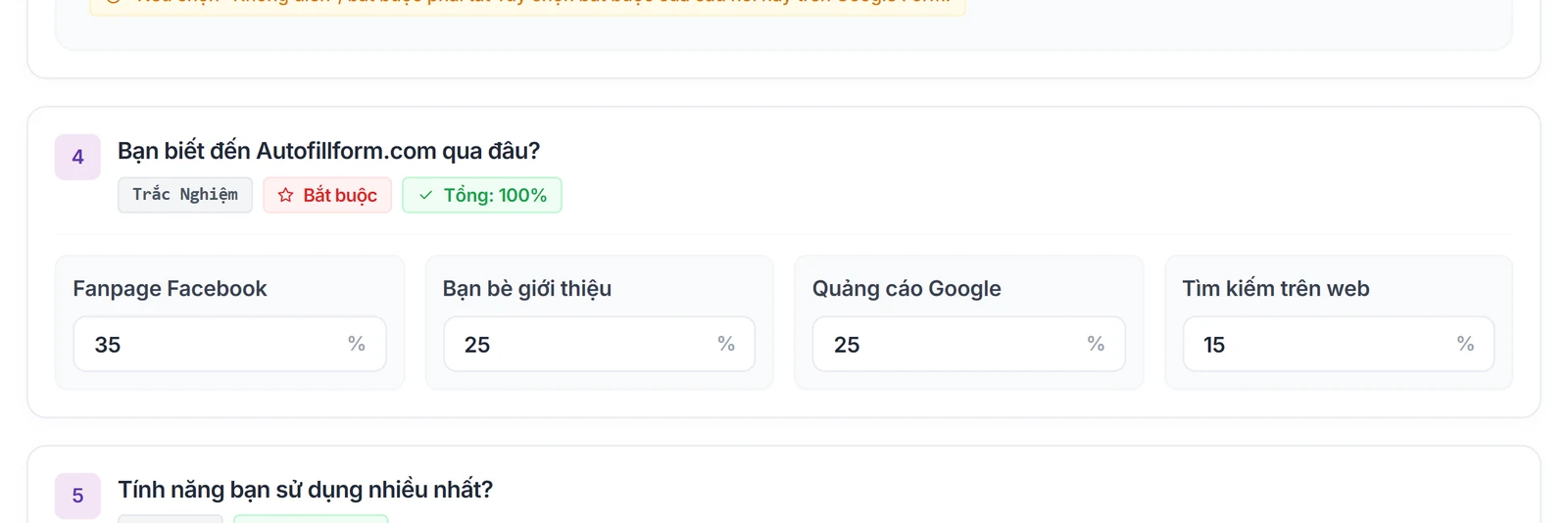
Set the exclusion criteria before looking at results and report how many responses were dropped. To rehearse the whole workflow before real data, AutoFillForm's fill by ratios feature lets you set a percentage for each answer level when creating test responses, so you can check the coding and SPSS syntax. That is simulated data for rehearsal only; delete it before real collection and never use it as research data.
Checklist before releasing a Likert scale
- Points and labels match the original scale; every block uses the same label set.
- The convention 1 = … 5 = … is stated at the top of each section.
- Items use Linear scale, or have a coding table if a grid or multiple choice is used.
- Grid: "Require a response in each row" on, "Limit to one response per column" off.
- Reverse items are marked in the codebook with recoding syntax 6 − x or 8 − x.
- Attention checks and exclusion criteria set in advance.
- Preview checked on a phone.
- Reliability Analysis trialled on test data, and all test data deleted.
Frequently asked questions
References
- Likert, R. (1932). A technique for the measurement of attitudes. Archives of Psychology, 22(140), 1–55.
- Preston, C. C., & Colman, A. M. (2000). Optimal number of response categories in rating scales: Reliability, validity, discriminating power, and respondent preferences. Acta Psychologica, 104(1), 1–15.
- Krosnick, J. A., & Presser, S. (2010). Question and questionnaire design. In P. V. Marsden & J. D. Wright (Eds.), Handbook of survey research (2nd ed., pp. 263–313). Emerald.
- Jamieson, S. (2004). Likert scales: How to (ab)use them. Medical Education, 38(12), 1217–1218.
- Norman, G. (2010). Likert scales, levels of measurement and the "laws" of statistics. Advances in Health Sciences Education, 15(5), 625–632.
- Dillman, D. A., Smyth, J. D., & Christian, L. M. (2014). Internet, phone, mail, and mixed-mode surveys: The tailored design method (4th ed.). Wiley.
- Google. (n.d.). Docs Editors Help: Google Forms. https://support.google.com/docs
The thresholds in this article are common conventions in the sources above. Check them against your supervisor's or target journal's requirements.