Cronbach's Alpha in SPSS: how to run it, read the output and decide which items to drop
How to run, read and report Cronbach's Alpha for each scale, with evidence-based rules for dropping items instead of deleting items just to raise alpha.
Quick summary
- Cronbach's Alpha measures the internal consistency of a multi-item scale; run it separately for each construct via Analyze → Scale → Reliability Analysis.
- Common thresholds: 0,70 or above is acceptable (Nunnally & Bernstein, 1994); 0,60–0,70 may be acceptable in exploratory research (Hair et al., 2019); above 0,95 may mean redundant items (Streiner, 2003).
- The Corrected Item-Total Correlation should be 0,30 or above.
- Only drop an item when its item-total correlation is below 0,30, the content allows and alpha rises clearly; keep at least 3 items per scale.
- A negative item-total correlation is almost always from forgetting to reverse a negative item.
What does Cronbach's Alpha measure?
Cronbach's Alpha is a coefficient measuring internal consistency of a scale with several observed items: whether questions measuring one construct vary together (Cronbach, 1951). In SPSS theses, testing Cronbach's Alpha is usually the first step after cleaning the data, before EFA and regression (Hoàng Trọng & Chu Nguyễn Mộng Ngọc, 2008).
Where k is the number of items, σ2i is each item's variance and σ2X is the variance of the total score. Put simply: if the questions rise and fall together, the total-score variance is much larger than the sum of the item variances, the ratio in brackets shrinks and alpha approaches 1. If the questions "each go their own way", alpha approaches 0, or even goes negative.
Alpha depends on the number of items. With the same average inter-item correlation of 0,30, standardised alpha is 0,68 with 5 items, 0,81 with 10 items and 0,90 with 20 items. So a high alpha doesn't necessarily mean the questions are closely linked (Cortina, 1993).
How to run Cronbach's Alpha in SPSS
Before running, make sure the data is coded in the right 1–5 order and reverse items are recoded (see export Google Form data to SPSS). Then:
- Go to
Analyze → Scale → Reliability Analysis. - Put the items of one construct (e.g. TC1–TC5) in the Items box. Run each construct separately; don't pool the whole questionnaire.
- Under Model, keep Alpha. You can name the scale under Scale label.
- Tap Statistics, tick Item, Scale, Scale if item deleted under Descriptives for, and Correlations under Inter-Item. Click Continue, then OK.
The equivalent syntax, handy to save and rerun:
RELIABILITY
  /VARIABLES=TC1 TC2 TC3 TC4 TC5
  /SCALE('Tin cay') ALL
  /MODEL=ALPHA
  /STATISTICS=DESCRIPTIVE SCALE CORR
  /SUMMARY=TOTAL.
Reliability Analysis drops rows with a missing value on any item listwise; the Case Processing Summary table shows how many were dropped.
Reading the output column by column
Reliability Statistics
Column Cronbach's Alpha is the coefficient you report. The column Cronbach's Alpha Based on Standardized Items (shown when Inter-Item is chosen) is computed from the correlation matrix; it differs a lot from ordinary alpha when item variances are very unequal. N of Items is the number of items in the scale.
Item-Total Statistics
| Column | Meaning | How to use it |
|---|---|---|
| Scale Mean if Item Deleted | Mean of the total score if this item is dropped | Mainly for reference |
| Scale Variance if Item Deleted | Variance of the total score if this item is dropped | Mainly for reference |
| Corrected Item-Total Correlation | Correlation between the item and the total of the remaining items | The main indicator for judging each item |
| Squared Multiple Correlation | R² from regressing the item on the remaining items (only with Inter-Item) | Supplementary, rarely reported |
| Cronbach's Alpha if Item Deleted | The scale's alpha if this item is dropped | Compare with the current alpha |
The word "Corrected" matters: SPSS removes the item itself from the total before computing the correlation, so the index isn't inflated by the item correlating with itself (Field, 2018).
Cronbach's Alpha thresholds
| α value | Assessment | Source |
|---|---|---|
| ≥ 0,90 | Very high; above 0,95 may mean items repeat the same content | Streiner (2003) |
| 0,80 – 0,90 | Good | Nunnally & Bernstein (1994) |
| 0,70 – 0,80 | Acceptable | Nunnally & Bernstein (1994) |
| 0,60 – 0,70 | May be acceptable in exploratory research | Hair et al. (2019) |
| < 0,60 | Low; review the scale or the data | Hair et al. (2019) |
For each item, a corrected item-total correlation of 0,30 or above is the common threshold (Nunnally & Bernstein, 1994) and is widely used in Vietnamese studies (Hoàng Trọng & Chu Nguyễn Mộng Ngọc, 2008). Hair et al. (2019) set a stricter level: item-total correlations above 0,50 and inter-item correlations above 0,30.
When to drop an observed item?
A common mistake is deleting an item as soon as Cronbach's Alpha if Item Deleted exceeds the current alpha. Only drop an item when all of these hold:
- The corrected item-total correlation is below 0,30;
- The content allows it: dropping the item doesn't lose an important aspect of the construct (content validity);
- Alpha if item deleted rises clearly, not just by 0,002 or 0,005.
A few more rules:
- Drop one item at a time and rerun, as every index changes after each removal.
- Keep at least 3 items per construct (Hair et al., 2019).
- Don't delete items just to raise alpha when the scale already passes. A very high alpha from near-duplicate items is not a good thing (Streiner, 2003).
- Negative item-total correlation or the SPSS warning "The value is negative due to a negative average covariance among items" almost always means a reverse item wasn't recoded. Check the reverse-item section in the article Likert scales in Google Forms before thinking of dropping items.
- Record every dropped item with the reason for transparent reporting.
Example: a 5-item Reliability scale
| Variable | Scale Mean if Item Deleted | Scale Variance if Item Deleted | Corrected Item-Total Correlation | Cronbach's Alpha if Item Deleted |
|---|---|---|---|---|
| TC1 | 13,94 | 7,163 | 0,746 | 0,732 |
| TC2 | 14,01 | 7,002 | 0,728 | 0,735 |
| TC3 | 13,86 | 7,374 | 0,713 | 0,743 |
| TC4 | 14,35 | 9,218 | 0,210 | 0,890 |
| TC5 | 14,08 | 7,213 | 0,696 | 0,746 |
The reasoning:
- The overall alpha of 0,812 is already good, so the problem isn't the whole scale but one item.
- TC4 has an item-total correlation of 0,210, below 0,30; all other items are above 0,69.
- Dropping TC4 raises alpha from 0,812 to 0,890, a clear increase. Dropping any other item lowers alpha.
- On content: suppose TC4 is "The company has many convenient branches", which measures convenience rather than reliability. All three conditions hold, so dropping TC4 is justified.
Rerunning with TC1, TC2, TC3, TC5: alpha is 0,890 and item-total correlations range 0,730–0,788. The scale keeps 4 items, still above the minimum of 3. SPSS shows a decimal point; in Vietnamese writing, use a decimal comma consistently.
Alpha's limits and the next step
Alpha cao does not prove the scale is unidimensional, i.e. measures only one construct. Two groups of questions measuring different constructs can still give a high alpha if there are enough items (Cortina, 1993). Alpha also assumes items contribute equally to the construct. So after Cronbach's Alpha you need:
- Exploratory factor analysis to check the structure: see KMO, Bartlett and EFA.
- Composite reliability and convergent and discriminant validity: see CR, AVE and HTMT.
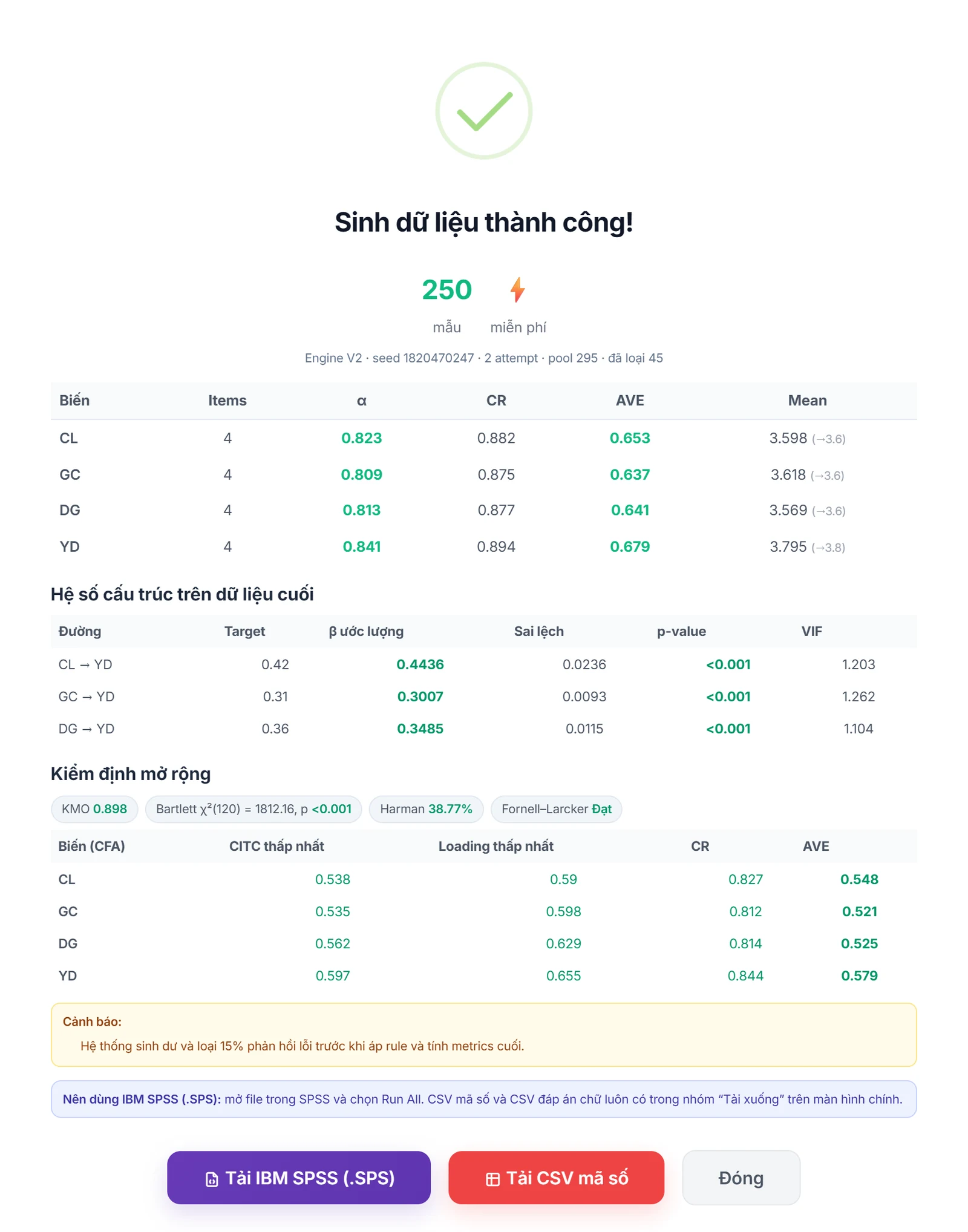
To rehearse the whole chain of indicators before real data, the SPSS research module of AutoFillForm computes Alpha, CR, AVE and HTMT on the data set and exports an .sps file (data with variable and value labels) so you can open it in SPSS and rerun the RELIABILITY command above yourself. Simulated data is only for testing the questionnaire and practising the workflow, never for survey results.
How to report it in a thesis, and checklist
Sample paragraph:
| Scale | Initial items | Items kept | Cronbach's Alpha | Smallest item-total correlation | Items dropped |
|---|---|---|---|---|---|
| Reliability (TC) | 5 | 4 | 0,890 | 0,730 | TC4 |
| Satisfaction (HL) | 4 | 4 | 0,857 | 0,642 | No |
- Data coded in the right order and reverse items recoded.
- Reliability Analysis run separately for each construct, with Scale if item deleted on.
- Rows dropped checked in the Case Processing Summary.
- Alpha compared with the threshold cited in the method chapter.
- Items with item-total correlation below 0,30 reviewed on both numbers and content before dropping.
- Items dropped one at a time and rerun, each scale keeping at least 3 items.
- Alpha reported before and after dropping, with reasons.
- Continued with EFA and CR/AVE instead of stopping at alpha.
Frequently asked questions
References
- Cronbach, L. J. (1951). Coefficient alpha and the internal structure of tests. Psychometrika, 16(3), 297–334.
- Cortina, J. M. (1993). What is coefficient alpha? An examination of theory and applications. Journal of Applied Psychology, 78(1), 98–104.
- Nunnally, J. C., & Bernstein, I. H. (1994). Psychometric theory (3rd ed.). McGraw-Hill.
- Streiner, D. L. (2003). Starting at the beginning: An introduction to coefficient alpha and internal consistency. Journal of Personality Assessment, 80(1), 99–103.
- Hair, J. F., Black, W. C., Babin, B. J., & Anderson, R. E. (2019). Multivariate data analysis (8th ed.). Cengage Learning.
- Field, A. (2018). Discovering statistics using IBM SPSS Statistics (5th ed.). SAGE Publications.
- Hoàng Trọng, & Chu Nguyễn Mộng Ngọc. (2008). Phân tích dữ liệu nghiên cứu với SPSS [Analysing research data with SPSS] (Vol. 1 and 2). Hồng Đức Publishing House.
The thresholds in this article are common conventions in the sources above. Check them against your supervisor's or target journal's requirements.