Skip navigation
  1. Home
  2. Features
  3. App & notifications
Tools and apps

AutoFillForm app: install it on your phone and get notifications

AutoFillForm installs on phones and computers like an app, no App Store or Google Play needed. Turn on notifications to know as soon as an order finishes, the AI is done, Credit is added or support replies.
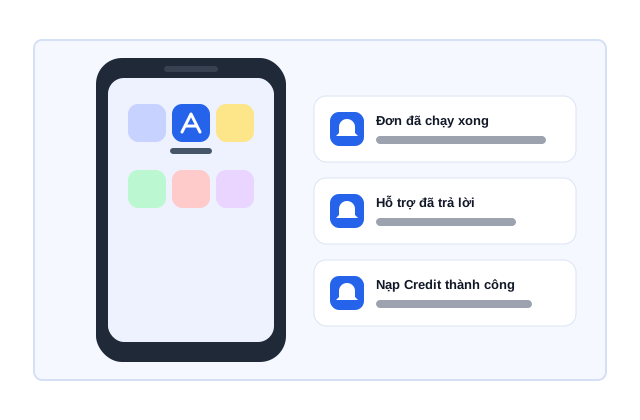
App & notifications illustration

Quick facts updated

Settings
Free, no App Store or Google Play
Devices
Android, computers (Chrome, Edge, Cốc Cốc), iPhone/iPad iOS 16.4+
Notifications
Support replies, orders finished, AI done, Credit added
Where to turn it on
Account → "Notifications & app", per device
See it in the product

Open it from the home screen, get alerted when something happens

Once installed, AutoFillForm opens like its own app without an address bar and tells you right away when there is something to see.

0 VND Settings
4 Notification types
iOS 16.4+ iPhone, iPad
Open the browser Install the app Turn on notifications Send a test
App & notifications illustration
Notifications are turned on per device
What it does

Where to install and what you are notified about

The app is the AutoFillForm site installed to your home screen, so it is always the latest version and takes little space. On Android and computers (Chrome, Edge, Cốc Cốc) just press Install. On iPhone and iPad use Safari: Share → "Add to Home Screen". Notifications are turned on per device and you choose what to receive: support ticket replies, orders finished, AI done, Credit added.

Install from Account menu → "Install the app", or "Install AutoFillForm as an app" on Home.
Android and computers (Chrome, Edge, Cốc Cốc): press Install and you're done.
iPhone/iPad (iOS 16.4 or later): in Safari press Share → "Add to Home Screen" → Add. Mac Safari: File → Add to Dock.
Turn on notifications in Account → "Notifications & app", choose what to receive and press "Send a test notification" to check.
Without notifications, support replies still arrive by email.
How it works

How to use the app & notifications in 3 steps

Install once per device; the app is always the latest version of the site.

  1. 1

    Open the site in a browser

    Sign in to autofillform.com in Chrome, Edge, Cốc Cốc or Safari (not inside Facebook, Messenger or Zalo).
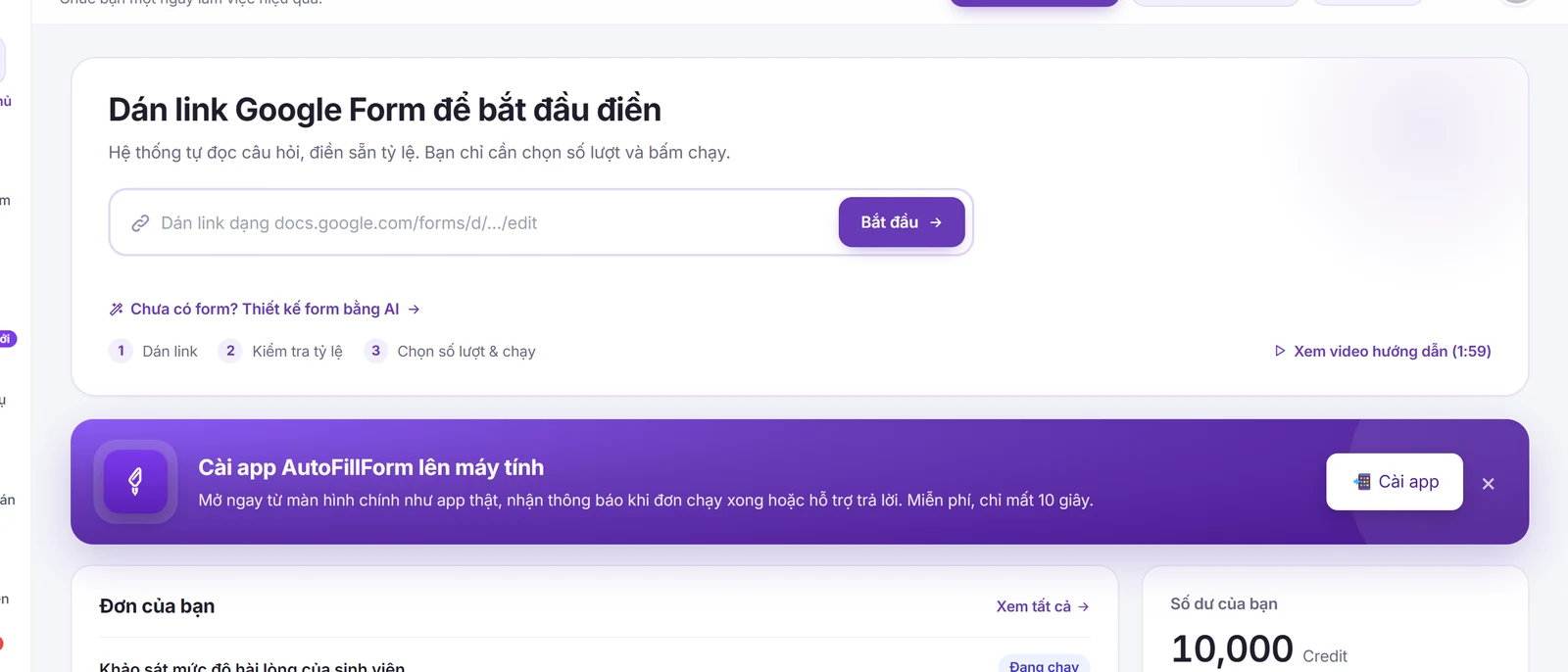
    The AutoFillForm home page in a browser, with an invitation to install the app
    The AutoFillForm home page in a browser, with an invitation to install the app
  2. 2

    Install the app

    Go to Account → "Install the app" and follow the steps for your device.
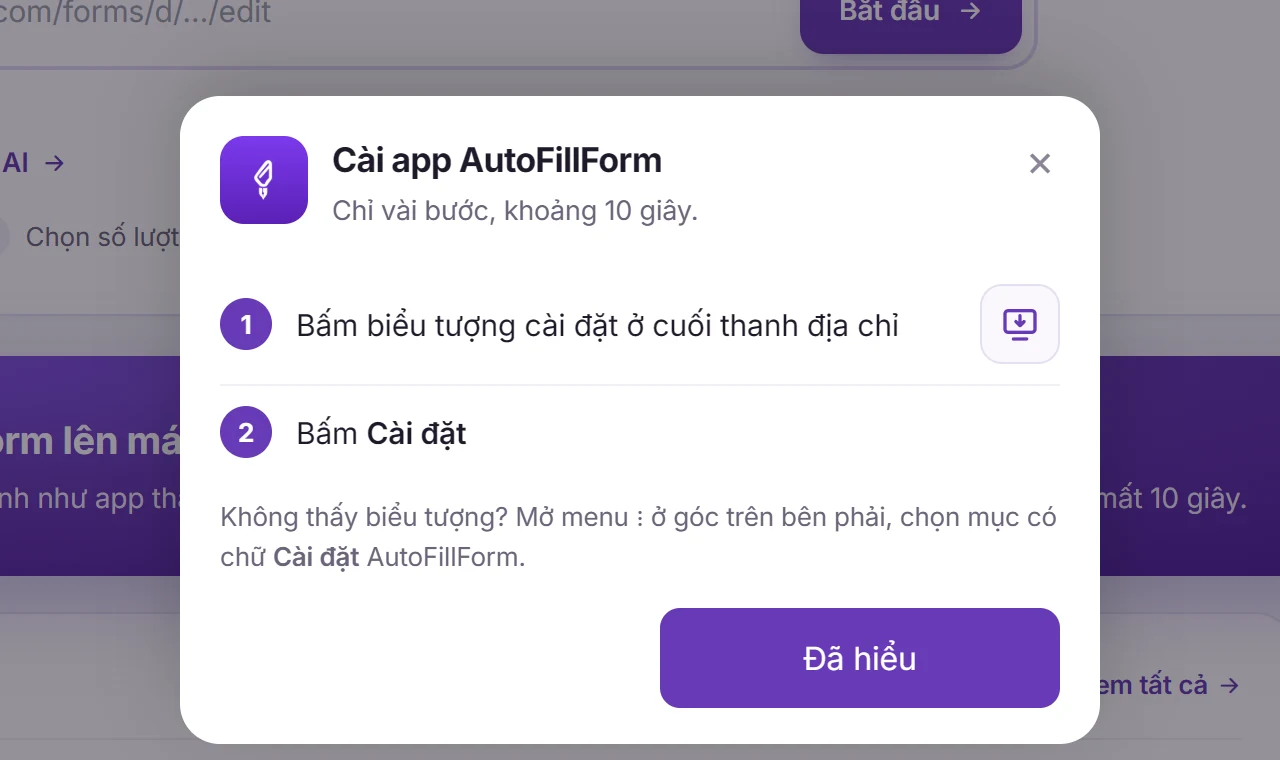
    How to install the AutoFillForm app
    How to install the AutoFillForm app
  3. 3

    Turn on notifications

    Open the app, go to Account → "Notifications & app" → Turn on notifications, choose what to receive and send a test.
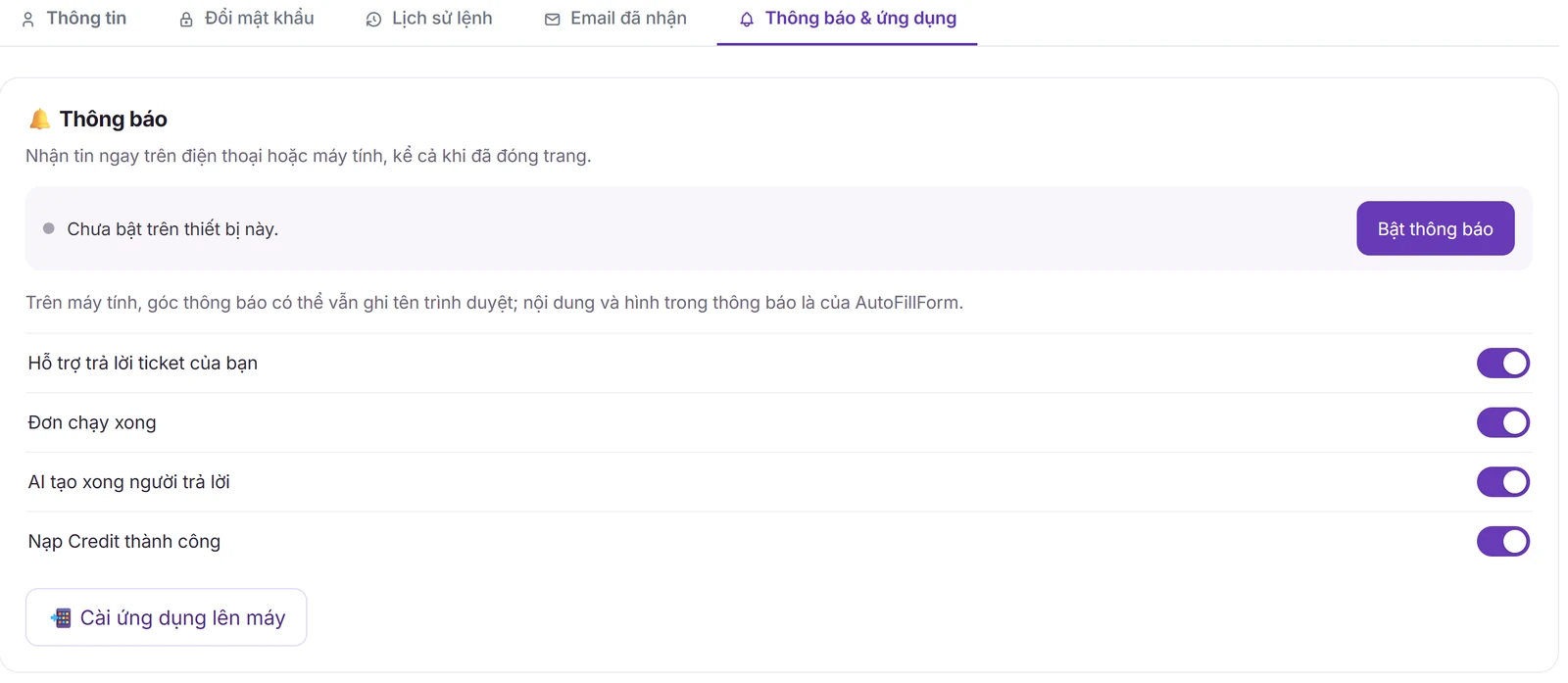
    Account → Notifications & app: turn on notifications and choose what to receive
    Account → Notifications & app: turn on notifications and choose what to receive

What you need

  • A browser that can install web apps: Chrome, Edge, Cốc Cốc or Safari.
  • iPhone/iPad need iOS 16.4 or later and only get notifications in the app installed to the home screen.

Limits to know

  • Firefox on desktop can't install it; use Chrome or Edge.
  • Pages opened inside Facebook, Messenger or Zalo can't install it: press ⋯ → "Open in browser", then install.
  • Do Not Disturb or battery saver can block notifications.
Quick answers

Frequently asked questions

No need. AutoFillForm installs from the browser to your home screen like an app: Account → "Install the app".
Open autofillform.com in Safari, press Share → "Add to Home Screen" → Add (iOS 16.4 or later). To get notifications, open the installed app and turn them on there.
Check notifications are on for the right device, the browser isn't blocking them (padlock next to the address → Notifications → Allow) and the phone isn't in Do Not Disturb or battery saver.
Support replies, orders finished, AI work done and Credit added. You choose which to receive on each device.
100 Credit for new accounts

Start with your form

Import, set up and see the cost before running.
Create a free account